Python Coded Functions
A coded function is Python code with typed input and output that runs as an Orchestrator job. You write plain Python — no agent framework, no LLM required — package it with the CLI, and invoke it from Maestro processes, Coded Apps, or any UiPath job trigger.
Use coded functions for deterministic compute steps: document extraction, ERP writes, data validation, external API calls. Use a coded agent when your logic needs an LLM decision loop or a multi-step reasoning chain.
Preview Feature
This feature is in preview and is subject to changes.
Quickstart
✓ Authentication successful.
uipath new my-function✓ Created 'main.py' file.
✓ Created 'pyproject.toml' file.
✓ Created 'uipath.json' file.
uipath init⠋ Initializing UiPath project ...
✓ Created 'entry-points.json' file.
✓ Created 'bindings.json' file.
uipath run main '{"message": "hello"}'{"message": "hello"}
✓ Authentication successful.
uipath new my-function✓ Created 'main.py' file.
✓ Created 'pyproject.toml' file.
✓ Created 'uipath.json' file.
uipath init⠋ Initializing UiPath project ...
✓ Created 'entry-points.json' file.
✓ Created 'bindings.json' file.
uipath run main '{"message": "hello"}'{"message": "hello"}
Guaranteeing a function project
uipath new defaults to --type auto: when an agent framework integration (e.g. uipath-langchain) is installed in the environment, it scaffolds a coded agent instead of a function. Pass --type function to always get a coded function project:
Project Structure
my-function/
├── main.py            # function logic
├── pyproject.toml     # project metadata and dependencies
├── uipath.json        # entry point declarations
├── entry-points.json  # generated — I/O JSON Schema
└── bindings.json      # generated — resource binding overrides
uipath.json
Declares which Python functions are callable entry points:
The key ("main") is the entry point name used in CLI commands. The value ("main.py:main") is <file>:<function_name>.
pyproject.toml
[project]
name = "my-function"
version = "0.1.0"
description = "..."
authors = [{ name = "Your Name", email = "you@example.com" }]
requires-python = ">=3.11"
dependencies = ["uipath>=2.0"]
Standard project metadata and dependencies. The functions map in uipath.json (above) is what marks the project as a coded function — pyproject.toml needs no UiPath-specific entries.
Generated files
| File | Purpose |
|---|---|
entry-points.json |
Input/output JSON Schema derived from your Input/Output models — used by Maestro for variable binding |
bindings.json |
Resource binding overrides (assets, connections, buckets) for local development |
Warning
uipath init executes your entrypoint Python file(s) (as declared in uipath.json, e.g., main.py) to derive the I/O schema. Re-run it after every change to your Input or Output models.
Input & Output
Define Input and Output as typed Python — a stdlib @dataclass, a pydantic BaseModel, or pydantic.dataclasses.dataclass. The runtime uses these type hints to parse the invocation payload and exports them as JSON Schema for Maestro variable binding. The entry point can be a sync def or an async def — both are supported.
from dataclasses import dataclass, field
from typing import Any


@dataclass
class Input:
    document_id: str = ""
    amount: float = 0.0


@dataclass
class Output:
    result_id: str = ""
    status: str = ""
    error_type: str = ""
    error_message: str = ""


def main(input: Input) -> Output:
    ...
Supported types
| Python type | Notes |
|---|---|
str, int, float, bool |
Primitives |
list[str], list[dict] |
Arrays |
dict[str, Any] |
Freeform object |
Nested @dataclass |
Becomes a nested JSON object |
X \| None, Optional[X] |
Nullable field |
Error output pattern
Return business errors as typed output fields rather than raising exceptions. This lets Maestro inspect the error reason and route the process accordingly:
@dataclass
class Output:
    bill_id: str = ""
    error_type: str = ""      # e.g. "VENDOR_NOT_FOUND", "VALIDATION_ERROR"
    error_message: str = ""   # human-readable detail


def main(input: Input) -> Output:
    try:
        bill_id = create_vendor_bill(input)
        return Output(bill_id=bill_id)
    except VendorNotFoundError as exc:
        return Output(error_type="VENDOR_NOT_FOUND", error_message=str(exc))
    except Exception as exc:
        return Output(error_type="FAILED", error_message=str(exc))
Reserve raise for unrecoverable infrastructure failures (network timeout, authentication error) that should mark the Orchestrator job as faulted.
Platform Services
UiPath() gives your function access to Orchestrator resources at runtime. Credentials are injected automatically when running as a job — no configuration needed.
Assets
Read credential and configuration values stored in Orchestrator:
# String asset
asset = sdk.assets.retrieve("API_BASE_URL", folder_path="Shared")
base_url = str(asset.string_value or "")

# Credential asset
creds = sdk.assets.retrieve("ERP_CREDENTIALS", folder_path="Shared")
username = str(creds.credential_username or "")
password = str(creds.credential_password or "")
See Assets for the full API reference.
Buckets
Download and upload files:
# Download
sdk.buckets.download(
    name="Invoices",
    blob_file_path="incoming/acme-001.pdf",
    destination_path="/tmp/acme-001.pdf",
    folder_path="Shared",
)

# Upload
sdk.buckets.upload(
    name="Processed",
    blob_file_path="results/acme-001-result.json",
    content_file_path="/tmp/result.json",
    folder_path="Shared",
)
See Buckets for the full API reference.
Connections
Access Integration Service connections for ERP and SaaS systems:
from uipath.platform.connections.connections import ActivityMetadata, ActivityParameterLocationInfo

conn = sdk.connections.retrieve("your-connection-id")

result = sdk.connections.invoke_activity(
    activity_metadata=ActivityMetadata(
        object_path="/your-endpoint",
        method_name="POST",
        content_type="application/json",
        parameter_location_info=ActivityParameterLocationInfo(body_fields=["query"]),
    ),
    connection_id="your-connection-id",
    activity_input={"query": "SELECT id FROM records LIMIT 10"},
)
See Connections for the full API reference.
Tracing
Use @traced to make individual steps visible as spans in the Orchestrator job trace view and Maestro dashboards.
from uipath.tracing import traced


@traced(name="fetch_document", run_type="uipath")
def fetch_document(document_id: str) -> bytes:
    ...


@traced(name="extract_fields", run_type="uipath")
def extract_fields(content: bytes) -> dict:
    ...


@traced(name="post_to_erp", run_type="uipath")
def post_to_erp(data: dict) -> str:
    ...


def main(input: Input) -> Output:   # entry point — NOT traced
    content = fetch_document(input.document_id)
    data = extract_fields(content)
    result_id = post_to_erp(data)
    return Output(result_id=result_id)
Warning
Do not apply @traced to the entry point function. The Orchestrator runtime wraps the entire job in its own span — adding a second trace on the entry point creates a duplicate outer span.
Use hide_input=True or hide_output=True to redact sensitive data from trace storage:
@traced(name="get_api_token", run_type="uipath", hide_input=True, hide_output=True)
def get_api_token(client_id: str, client_secret: str) -> str:
    ...
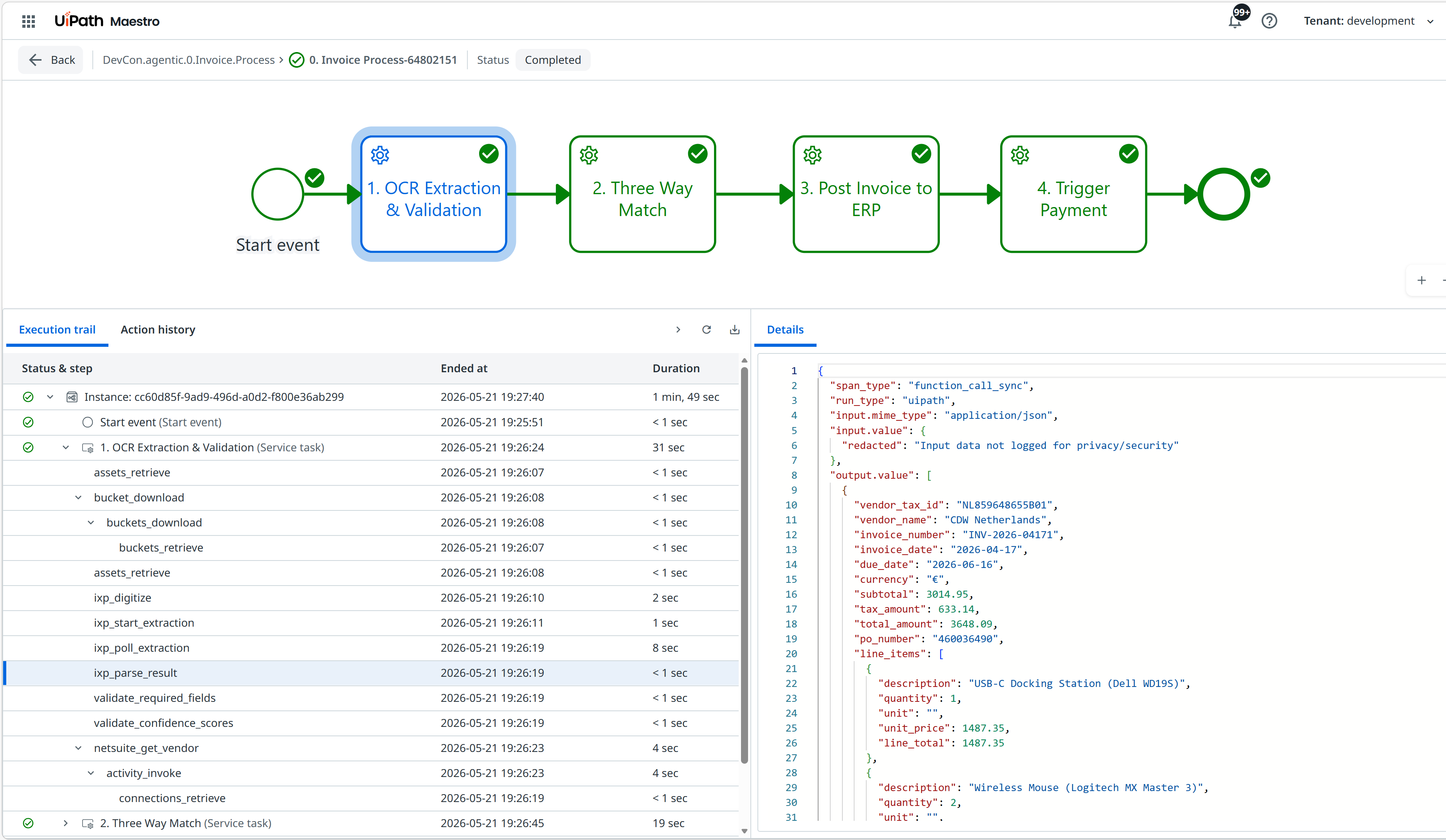
See Tracing for the full decorator reference.
Multiple Entry Points
One project can expose several callable functions, each with its own Input/Output. Define them in uipath.json:
{
  "functions": {
    "extract": "main.py:extract_data",
    "validate": "main.py:validate_data",
    "post_erp": "main.py:post_to_erp"
  }
}
Run uipath init after adding new entry points. Each can be invoked independently:
Each entry point publishes as a separate invocable function in Orchestrator.
Idempotency
Functions may be retried by Maestro after a transient failure. Always check for an existing result before writing to an external system:
@traced(name="find_existing", run_type="uipath")
def find_existing(invoice_number: str) -> str | None:
    # query external system by stable business key
    ...


def main(input: Input) -> Output:
    existing_id = find_existing(input.invoice_number)
    if existing_id:
        return Output(result_id=existing_id, status="Already Processed")

    result_id = create_record(input)
    return Output(result_id=result_id, status="Created")
Use a stable, business-meaningful identifier (invoice number, order ID) as the idempotency key — avoid auto-generated IDs that don't exist before the first write.
Pack & Publish
Name : my-function
Version : 0.1.0
Description: ...
Authors : Your Name
✓ Project successfully packaged.
uipath publish⠋ Fetching available package feeds...
👇 Select package feed:
0: Orchestrator Tenant Processes Feed
1: Orchestrator Personal Workspace Feed
Select feed number: 0
✓ Package published successfully!
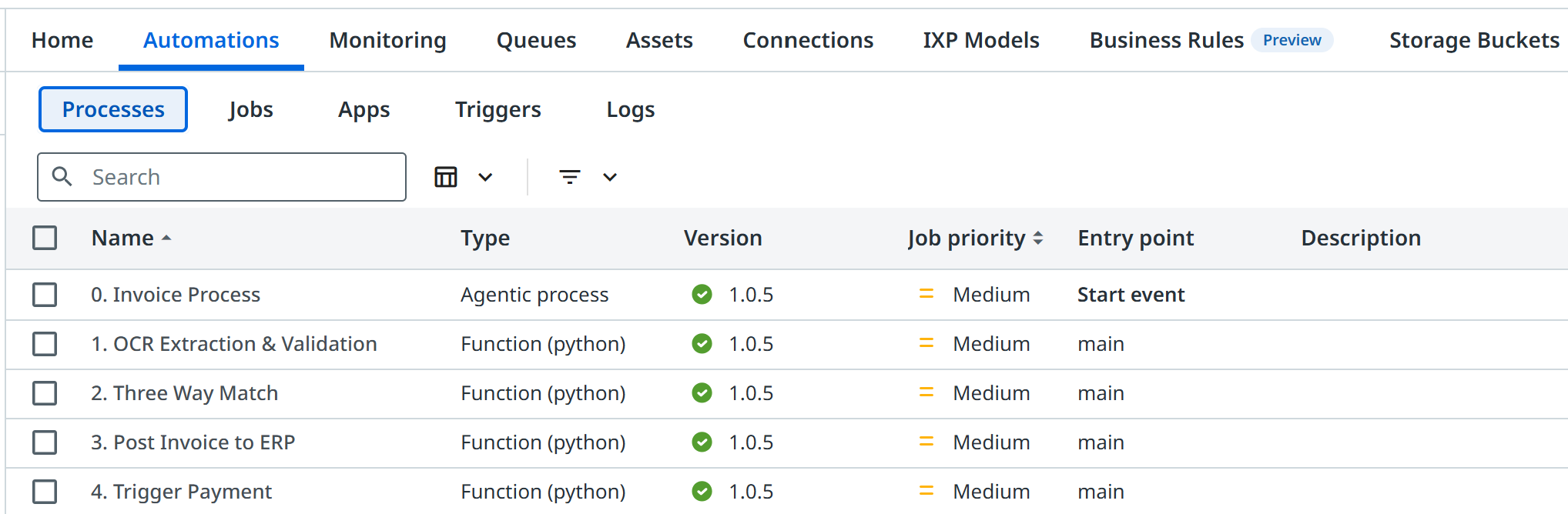
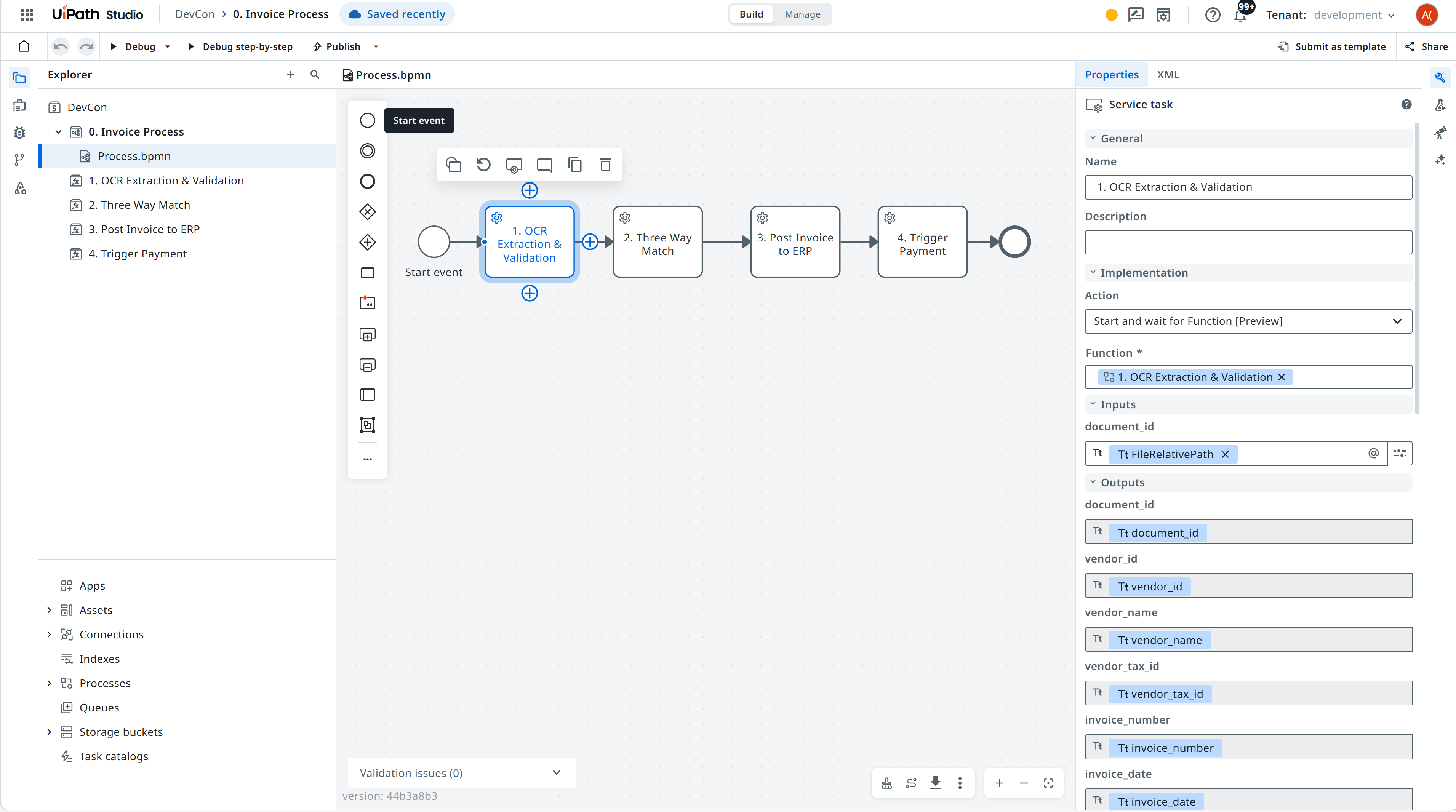
After publishing, the function registers as an Orchestrator Process. It can then be:
- Invoked as a Maestro Service Task — Maestro binds typed input/output to process variables automatically from the exported JSON Schema
- Triggered via the Orchestrator API (
POST /Jobs/StartJobs) - Run from the CLI:
uipath invoke main '{"..."}' - Started from a Studio workflow using the Run Job activity
See CLI Reference for full pack, publish, and invoke options.
Studio Web Integration
Connect your function to a Studio Web solution for cloud debugging or solution packaging:
Uploading 'main.py'
Uploading 'uipath.json'
Updating 'pyproject.toml'
✓ Project pushed successfully
See Studio Web Integration for setup and sync details.