Lovable
Build a UiPath coded web app in Lovable and deploy it to UiPath using @uipath/uipath-typescript and the uip CLI. Lovable generates the app and deploys it for you, running the CLI in its build sandbox, which can read secrets stored in Lovable Cloud.
Builds on Coded Apps
Lovable apps deploy as standard UiPath coded apps. This page covers the Lovable-specific steps; for platform, SDK, and CLI details see Coded Apps.
Watch the walkthrough
The full build, start to finish — prompt to a live app on a UiPath tenant.
The other builders are in the video gallery.
How it works
You build the app in Lovable with the UiPath coded-apps skill (so it uses @uipath/uipath-typescript and the correct coded-app structure), then ask it to deploy — the skill runs the uip CLI for you (build → pack → publish → deploy) inside Lovable. The deployed app is served at https://<org>.uipath.host/<app>.
Prerequisites
- A UiPath Automation Cloud account.
- Two external OAuth apps (UiPath Admin → External Applications):
- a non-confidential (public) app —
clientId+ scopes, used for end-user sign-in inside the app (baked into the build; safe to expose in the browser). - a confidential app —
clientId+clientSecret, used at deploy time byuip login. Give itApps.ReadandApps.Write, and assign it to the Orchestrator folder you will deploy to.
- a non-confidential (public) app —
See Coded Apps → Getting Started for the full external-app and uipath.json setup.
Step 1 — Load the UiPath coded-apps skill
Pick one:
Option 1 — reference the skill in your prompt (simplest). Add this line to your Step 2 build prompt so Lovable's agent loads the skill directly from source:
Use the UiPath coded-apps skill at https://github.com/UiPath/skills/blob/main/skills/uipath-coded-apps/SKILL.md
Option 2 — import it as a workspace skill (zip). Download only the skills/uipath-coded-apps folder from the UiPath skills repo — not the whole repo, which is far too large to load as a skill — zip that folder, and add it as a workspace skill. Importing directly from a git URL is not reliable today because the skills repo uses symlinks, so use a zip of just this folder.
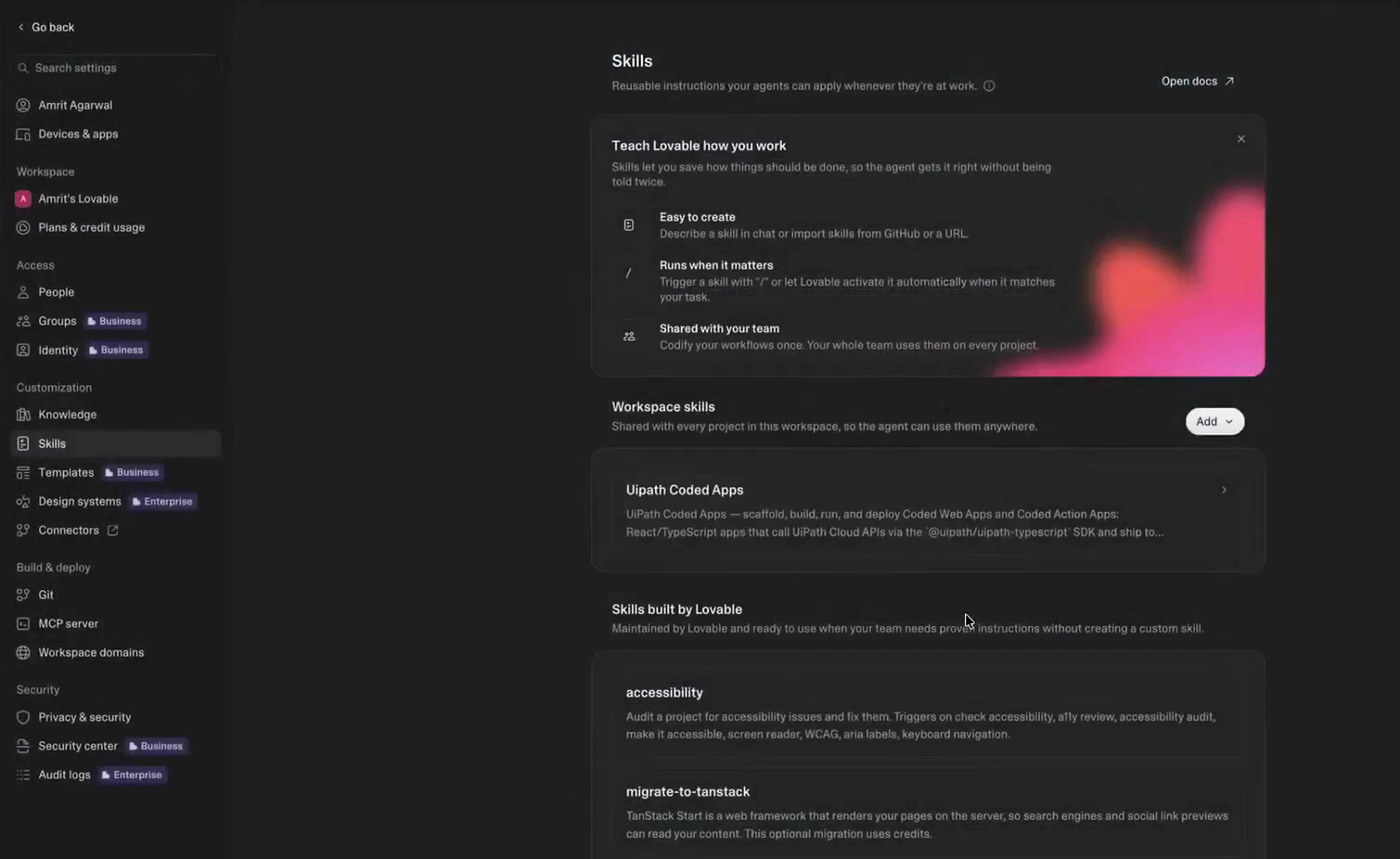
Step 2 — Build your app
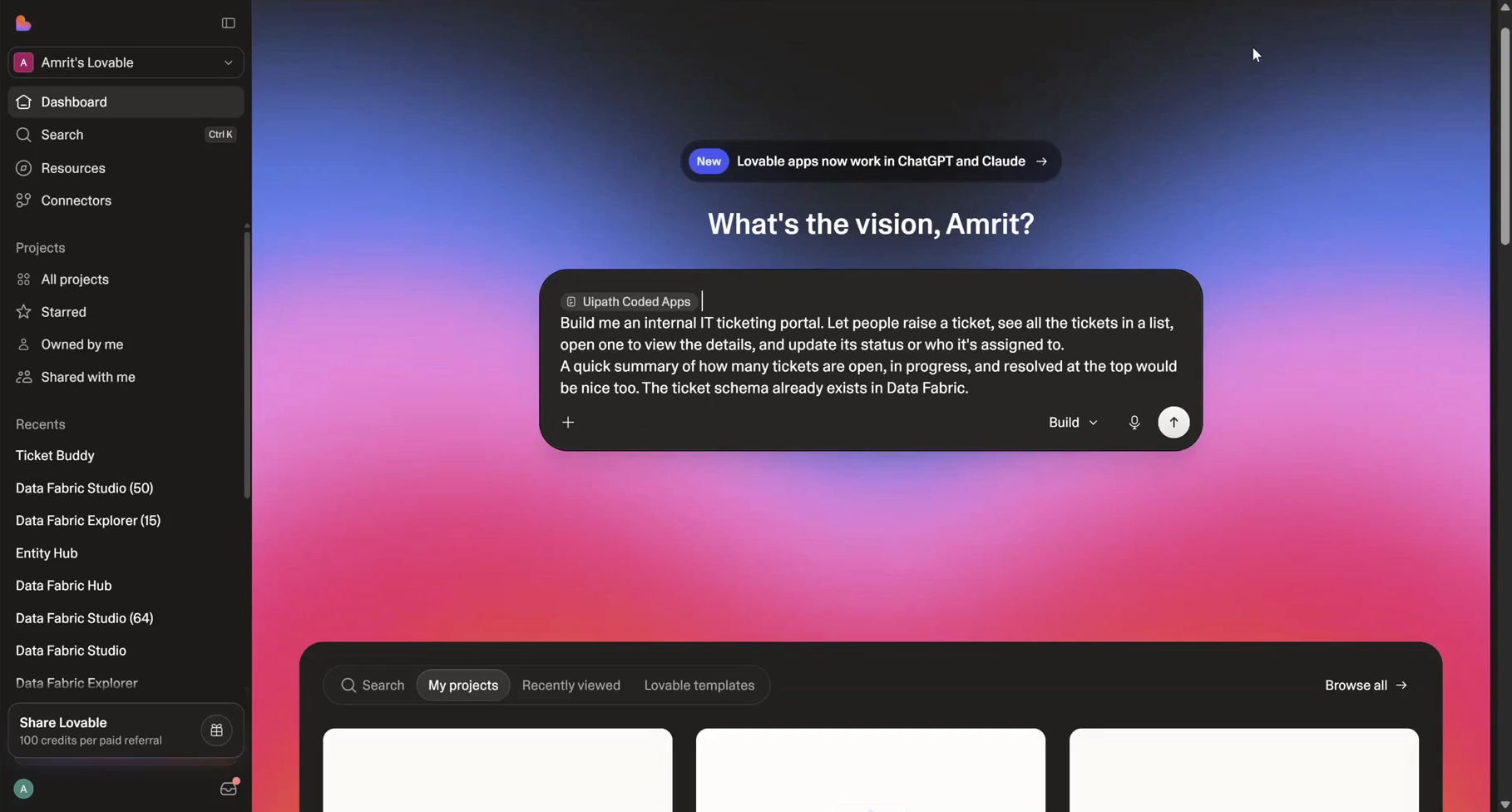
With the skill loaded, just describe the app you want in plain language — there is no special wording or UiPath boilerplate to add. The skill handles the coded-app scaffolding for you.
The builder asks for the connection details it needs — organization, tenant, Data Fabric entity, and the public app's client ID — as it goes, so you don't supply them up front.
Must be a static SPA
Coded apps are static sites — the build must emit index.html at the dist root. The skill scaffolds this for you. If Lovable defaults to a server-rendered app (for example TanStack Start), switch it to a static SPA build (enable SPA mode) so npm run build emits index.html at the dist root — otherwise uip codedapp pack will reject it.
Step 3 — Add your deploy credentials
Add your confidential app's credentials in Lovable Cloud → Secrets: UIPATH_CLIENT_ID and UIPATH_CLIENT_SECRET. These secrets are securely accessible to Lovable's build sandbox, so uip login can read them at deploy time — the secret stays out of chat and code.
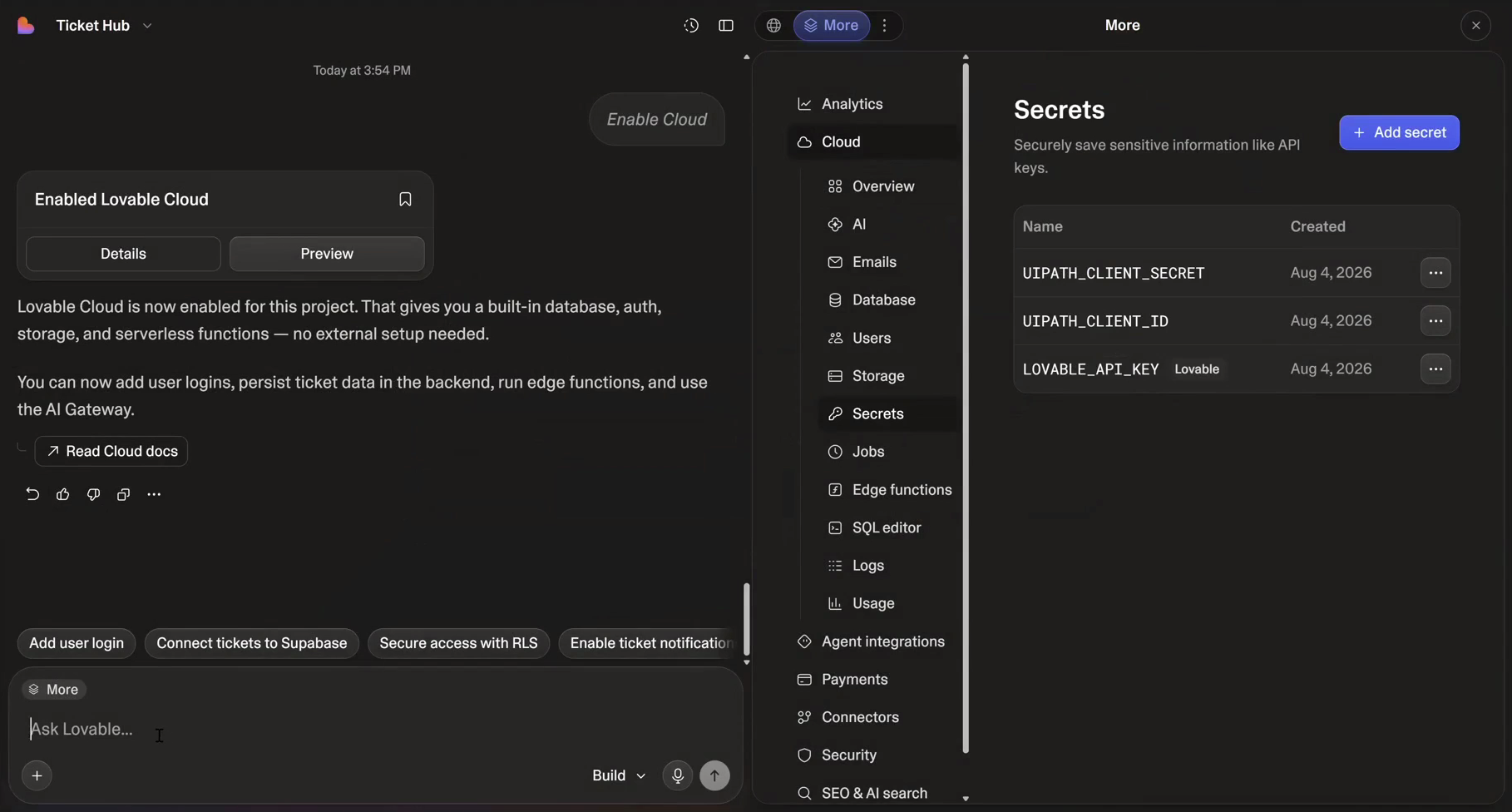
Step 4 — Deploy
Just ask Lovable to deploy. Name the Orchestrator folder you want the app in — the skill resolves it and runs the whole uip pipeline in the sandbox, reading the secrets you stored in Step 3:
Deploy this app to UiPath in the <folder-name> folder, using UIPATH_CLIENT_ID and UIPATH_CLIENT_SECRET from Lovable Cloud secrets.
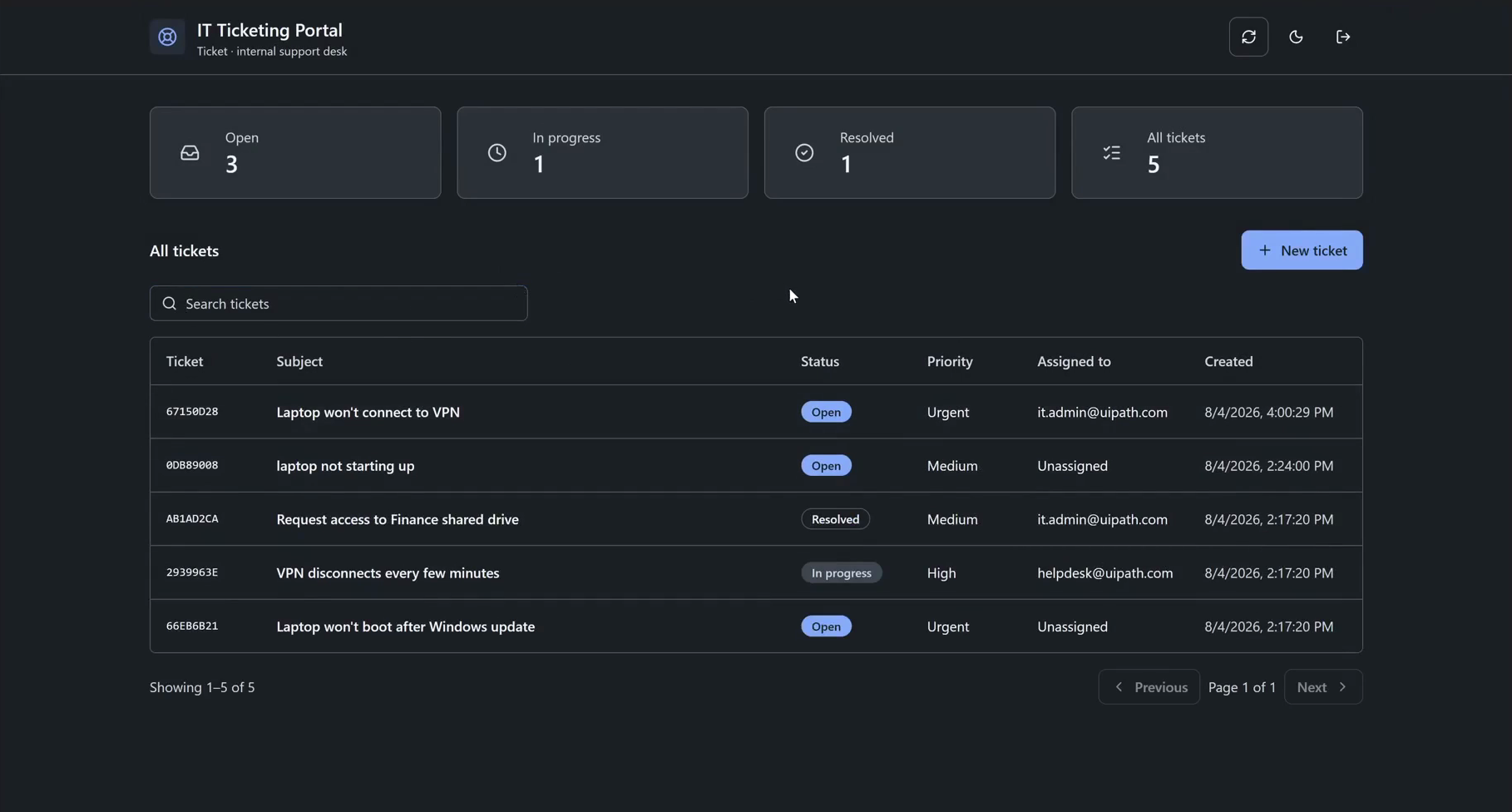
The skill signs in, builds, packs, publishes and deploys (invoking the CLI via npx @uipath/cli if it isn't preinstalled), then reports the hosted URL:
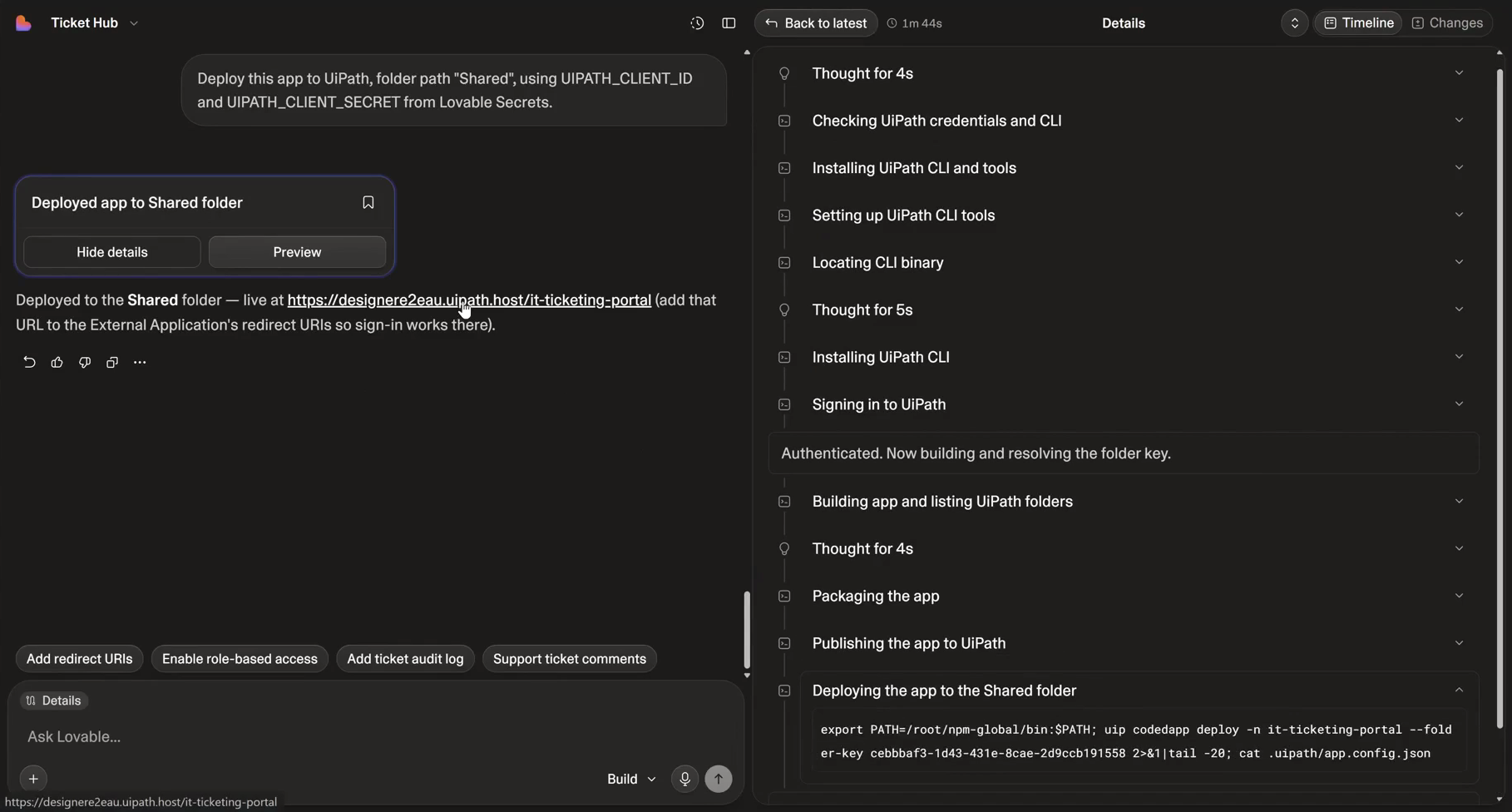
Open that URL and sign in to see the finished app:
Troubleshooting
- Skill import from a git URL fails — upload the coded-apps skill as a zip instead (the skills repo's symlinks break direct git import).
Common to all builders:
index.html not foundduringuip codedapp pack— the build is SSR or the dist root is nested. Switch to a static SPA build soindex.htmlsits at the top ofdist/.401on publish/deploy — the deploy identity lacks access. Use a confidential app (client id + secret) or a PAT with the scopes above, and make sure it is assigned to the target Orchestrator folder.- Assets 404 after deploy — set Vite
base: './'and usegetAppBase()as your router basename. See Coded Apps → Getting Started. - Sign-in fails (
invalid_scope/Invalid redirect_uri) or deploy behaves oddly — see Troubleshooting sign-in and Deploy pitfalls.