Vercel (v0)
v0 by Vercel generates the app and deploys it to UiPath for you — build a UiPath coded web app in v0 and ship it to UiPath using @uipath/uipath-typescript and the uip CLI, without leaving the chat.
Builds on Coded Apps
Vercel (v0) apps deploy as standard UiPath coded apps. This page covers the Vercel (v0)-specific steps; for platform, SDK, and CLI details see Coded Apps.
Watch the walkthrough
The full build, start to finish — prompt to a live app on a UiPath tenant.
The other builders are in the video gallery.
How it works
You build the app in Vercel (v0) with the UiPath coded-apps skill (so it uses @uipath/uipath-typescript and the correct coded-app structure), then ask it to deploy — the skill runs the uip CLI for you (build → pack → publish → deploy) inside Vercel (v0). The deployed app is served at https://<org>.uipath.host/<app>.
Prerequisites
- A UiPath Automation Cloud account.
- Two external OAuth apps (UiPath Admin → External Applications):
- a non-confidential (public) app —
clientId+ scopes, used for end-user sign-in inside the app (baked into the build; safe to expose in the browser). - a confidential app —
clientId+clientSecret, used at deploy time byuip login. Give itApps.ReadandApps.Write, and assign it to the Orchestrator folder you will deploy to.
- a non-confidential (public) app —
See Coded Apps → Getting Started for the full external-app and uipath.json setup.
Step 1 — Load the UiPath coded-apps skill
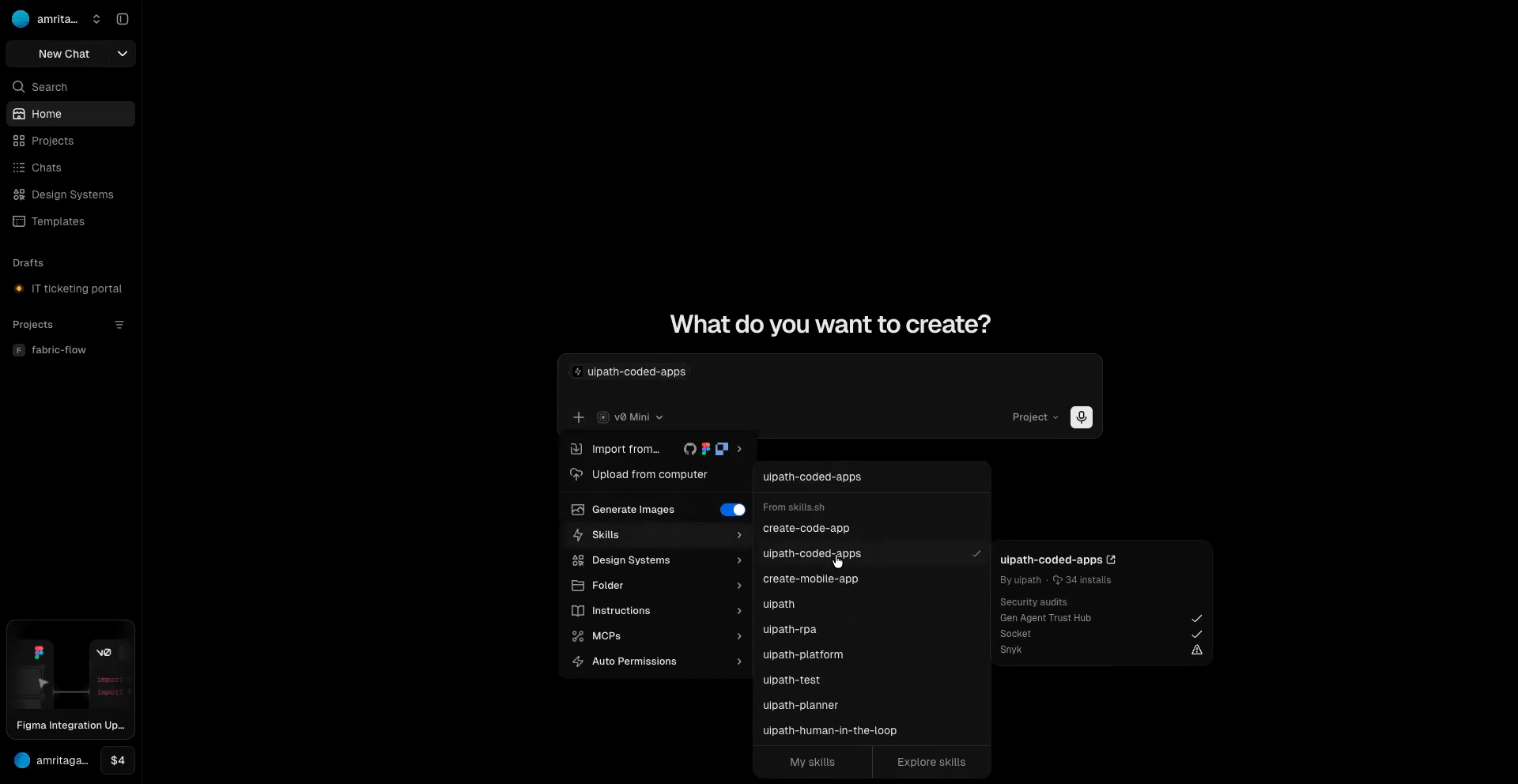
v0 offers the UiPath coded-apps skill directly from its skill marketplace — in the chat composer, open + → Skills, search for uipath-coded-apps, and select it; it lands in the prompt as a chip. No manual import needed. Then add your build prompt (Step 2).
Step 2 — Build your app
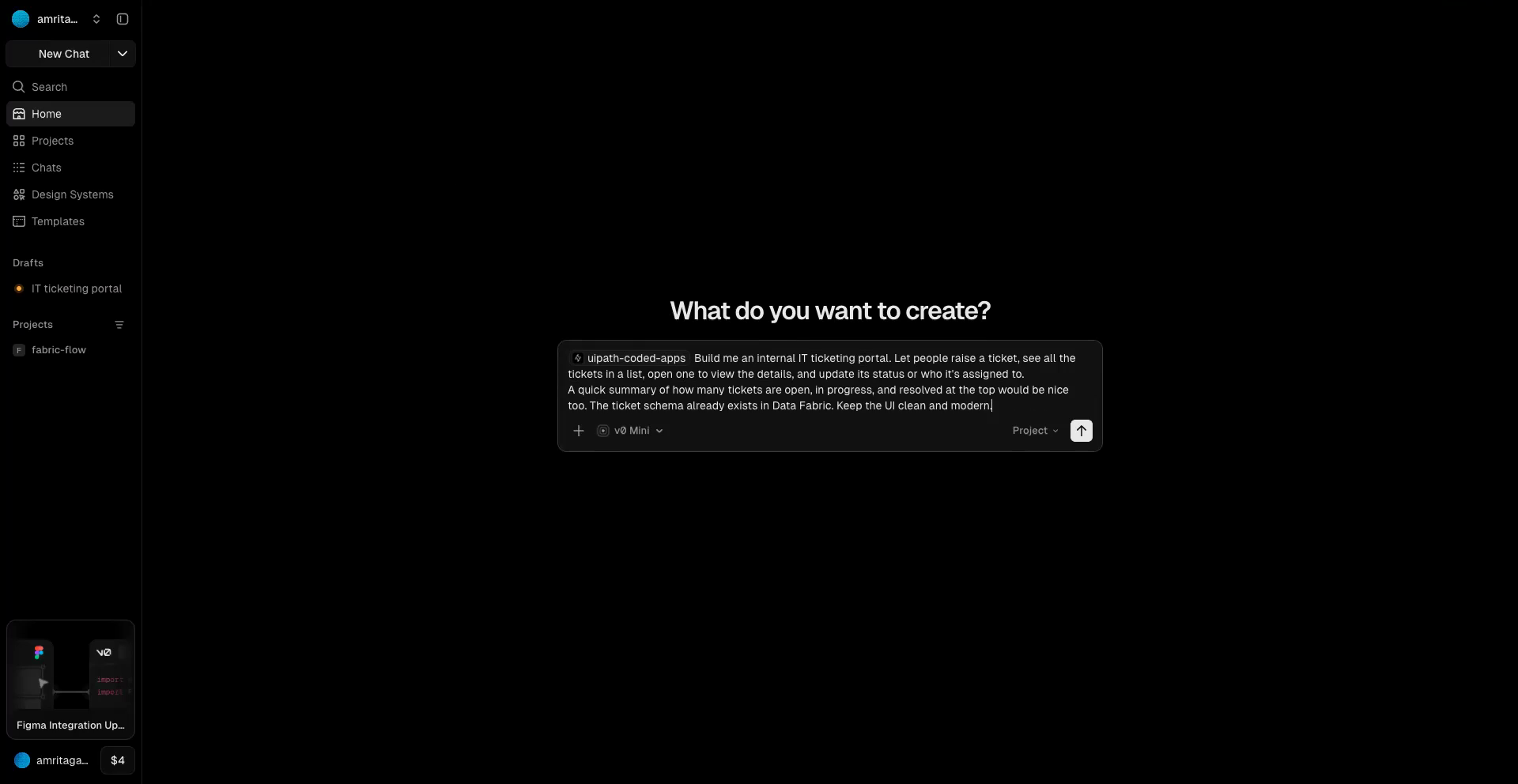
With the skill loaded, just describe the app you want in plain language — there is no special wording or UiPath boilerplate to add. The skill handles the coded-app scaffolding for you.
The builder asks for the connection details it needs — organization, tenant, Data Fabric entity, and the public app's client ID — as it goes, so you don't supply them up front.
Must be a static SPA
Coded apps are static sites — the build must emit index.html at the dist root. The skill scaffolds this for you; if the builder defaults to a server-rendered (SSR) framework, switch it to a static/SPA build.
Step 3 — Add your deploy credentials
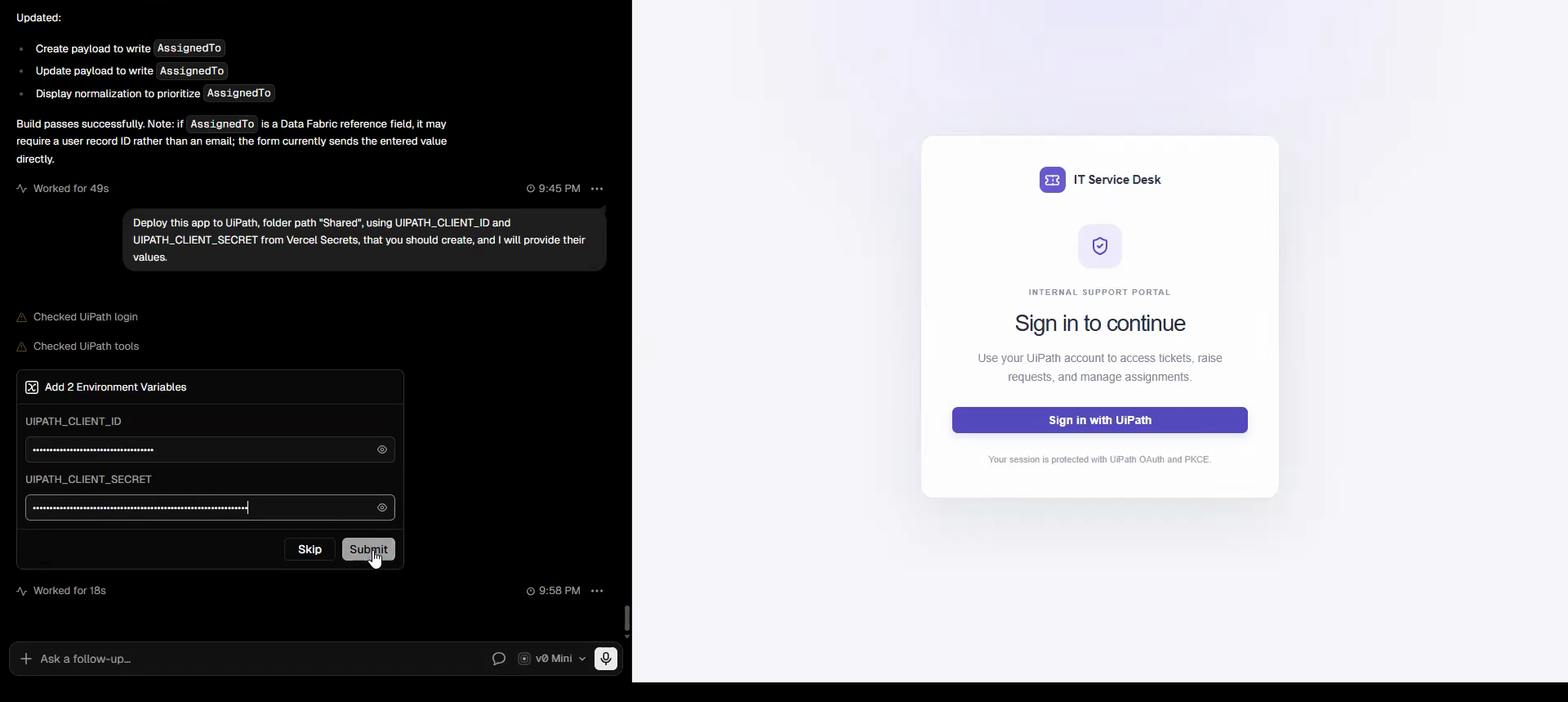
Add your confidential app's credentials as Environment Variables in your v0 / Vercel project settings — UIPATH_CLIENT_ID and UIPATH_CLIENT_SECRET. Vercel encrypts them and does not bundle them into the client app; they are available to the terminal at deploy time. This is the most private of the four builders — the secret is encrypted, server-side, and never in chat or client code.
Step 4 — Deploy
Just ask v0 to deploy. Name the Orchestrator folder you want the app in — the skill resolves it and runs the whole uip pipeline in v0's terminal, reading the environment variables you set in Step 3:
Deploy this app to UiPath in the <folder-name> folder, using UIPATH_CLIENT_ID and UIPATH_CLIENT_SECRET from the environment variables.
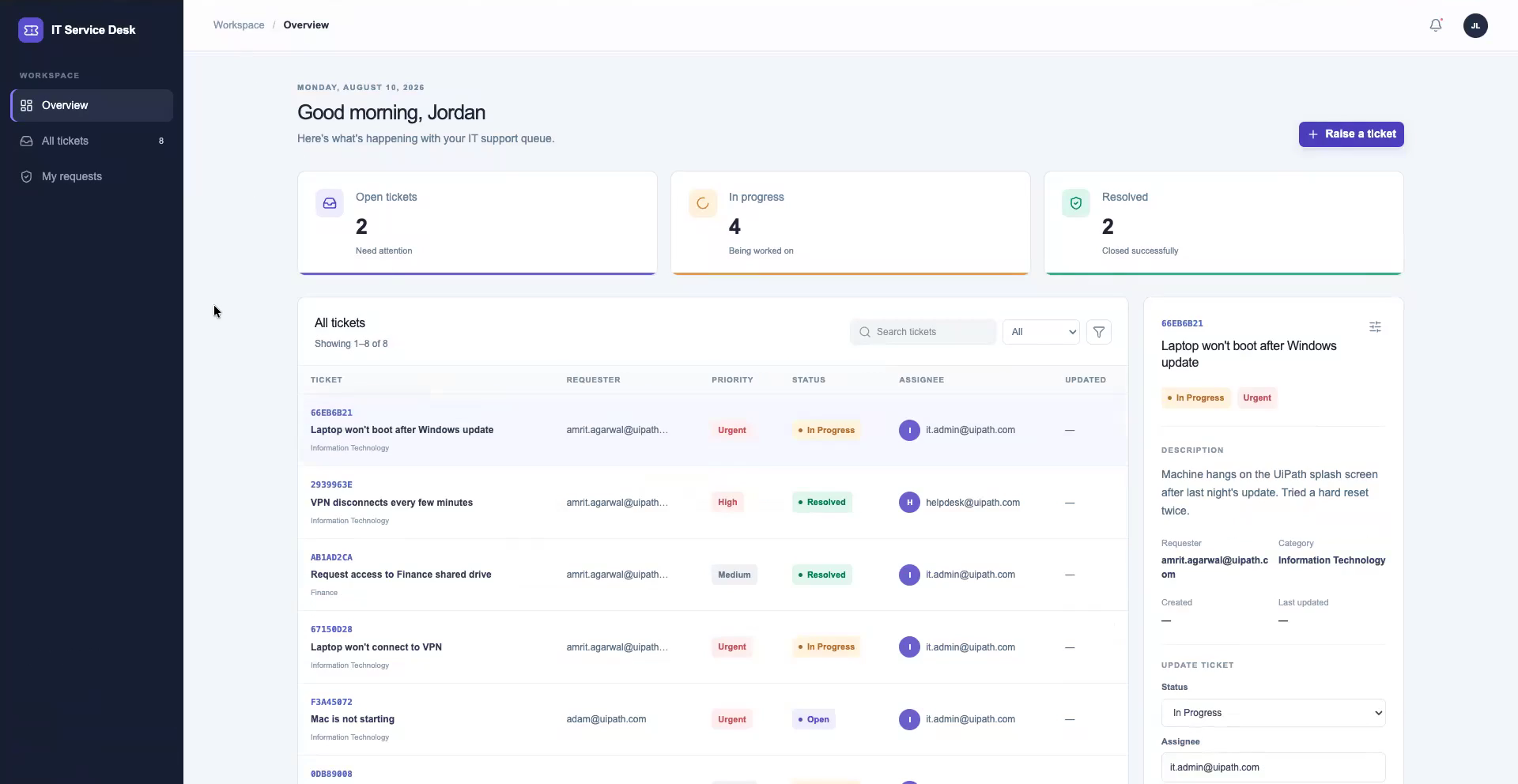
The skill signs in, builds, packs, publishes and deploys, then reports the hosted URL:
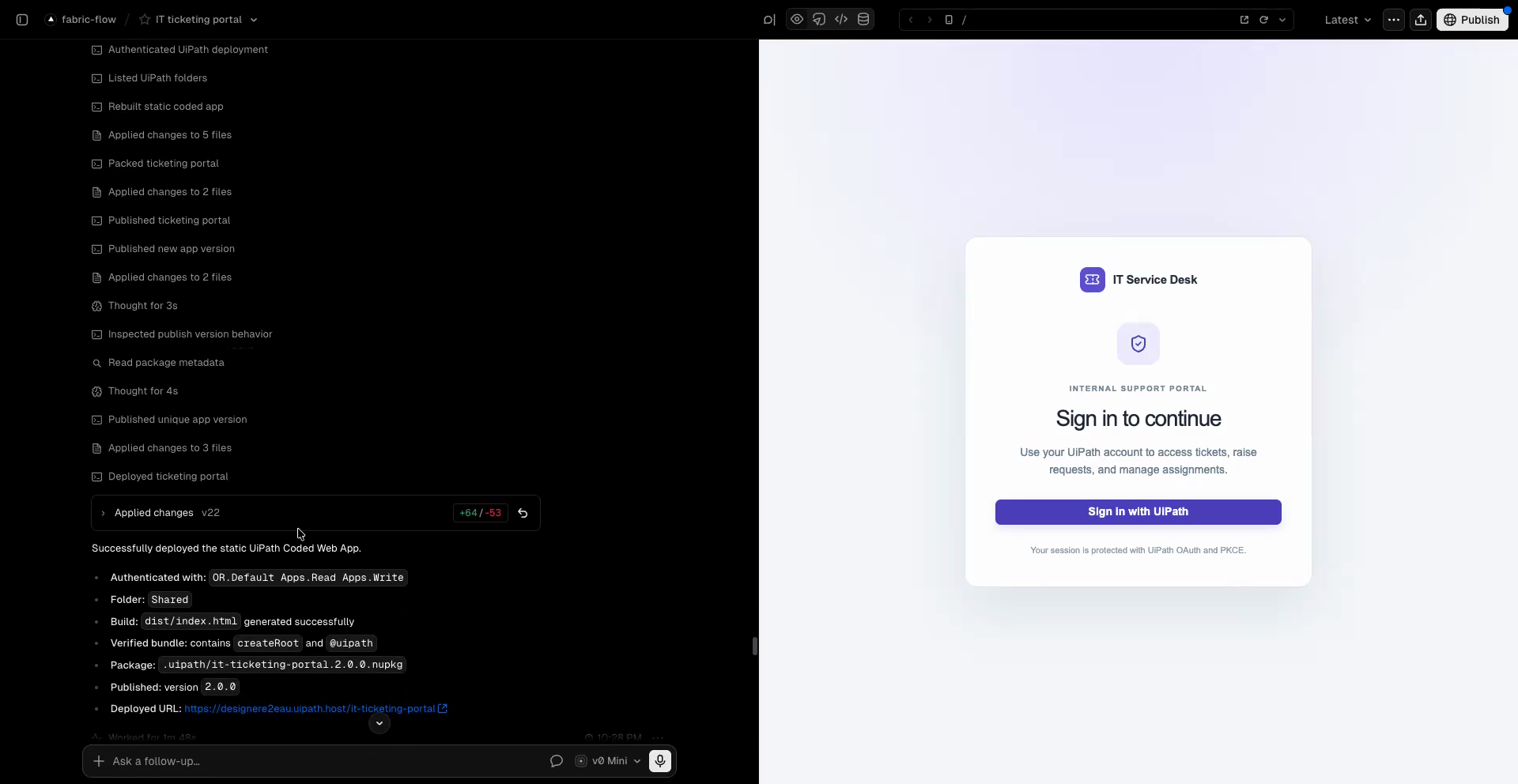
Open that URL and sign in to see the finished app:
Alternative — run the deploy yourself
If prompting gives you trouble (env vars not visible in the terminal, agent stuck mid-deploy), open v0's terminal and run the same steps by hand:
uip login --client-id $UIPATH_CLIENT_ID --client-secret $UIPATH_CLIENT_SECRET \
  --organization <org> --tenant <tenant> \
  --scope "OR.Default Apps.Read Apps.Write"
npm run build
uip codedapp pack dist -n <app-name> --version 1.0.0
uip codedapp publish
uip codedapp deploy --folder-key <folder-key>   # uip or folders list --output json
Troubleshooting
- Env var not found in terminal — confirm
UIPATH_CLIENT_ID/UIPATH_CLIENT_SECRETare set for the environment your terminal runs in, then re-open the terminal. - Sign-in fails with
invalid_scope— the app is requesting a scope the public external app doesn't grant. Thescopeinuipath.jsonmust exactly match scopes added on that app's resources. A Data Fabric app needsDataFabric.Schema.Read DataFabric.Data.Read DataFabric.Data.Write, both inuipath.jsonand on the external app. - Sign-in fails with
invalid_request/Invalid redirect_uri— the URL the app runs on isn't registered on the public external app. Matching is exact (scheme, host, path, trailing slash): register the current URL with and without a trailing slash. The v0 preview URL (*.v0.build) and the deployeduipath.hostURL are different origins — register each one you sign in from. - Changed
uipath.jsonbut sign-in still uses old values — the config is baked into the build. Rebuild and redeploy after editing it, then clear the site's storage before retrying, so a token cached under the old values isn't reused.
Common to all builders:
index.html not foundduringuip codedapp pack— the build is SSR or the dist root is nested. Switch to a static SPA build soindex.htmlsits at the top ofdist/.401on publish/deploy — the deploy identity lacks access. Use a confidential app (client id + secret) or a PAT with the scopes above, and make sure it is assigned to the target Orchestrator folder.- Assets 404 after deploy — set Vite
base: './'and usegetAppBase()as your router basename. See Coded Apps → Getting Started.